

Urban Seller provides you with the option of creating a knowledge base for each of your products.
- Go to “Messages” section and then select the “Product Info” button on the top right-hand side of the screen as shown below.
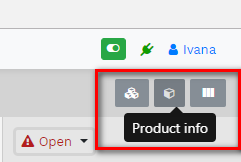
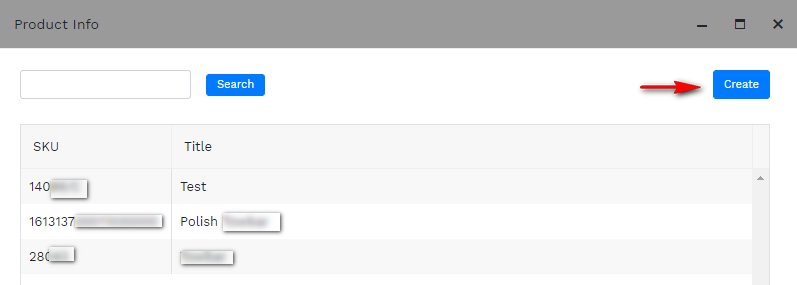
2. A pop up window will appear where you can search or create a new Product Knowledge Base.
Click Create in order to proceed.
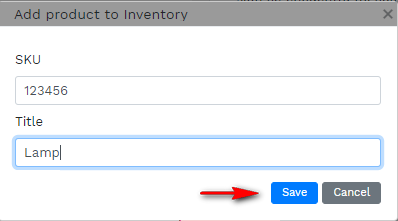
3. Fill in the gaps with the SKU information and the Title of the product so you can easily find it. Click Save to proceed.
4. A new Screen will appear where you can add any information of the product and use it while replying to your customers.
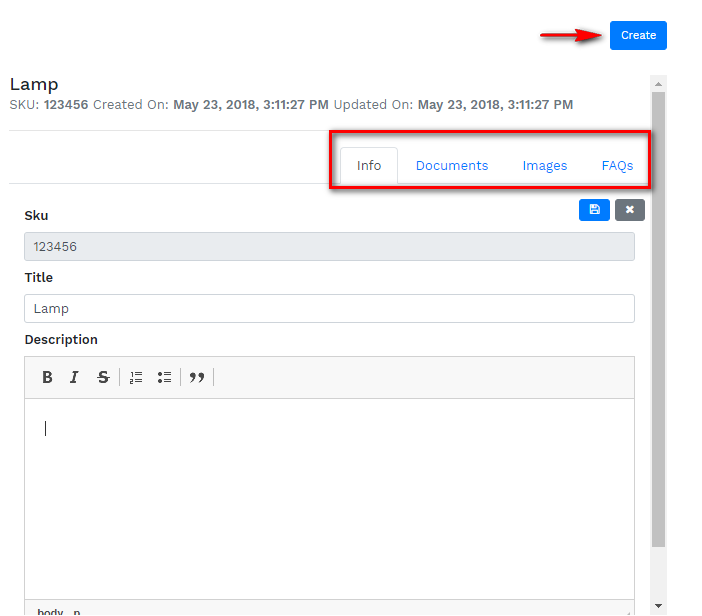
5. You can add documents such as fitting instructions or upload images while replying. You can create FAQs and save time.

Comments
0 comments
Please sign in to leave a comment.