

Urban Seller allows you to add a note to a message so this way you and all your team will be updated with the situation of the customer.
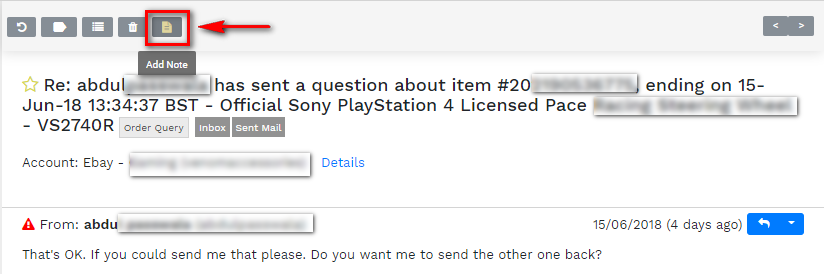
Once you open the message, select the ''Add Note'' option from the quick menu above the title of the email.
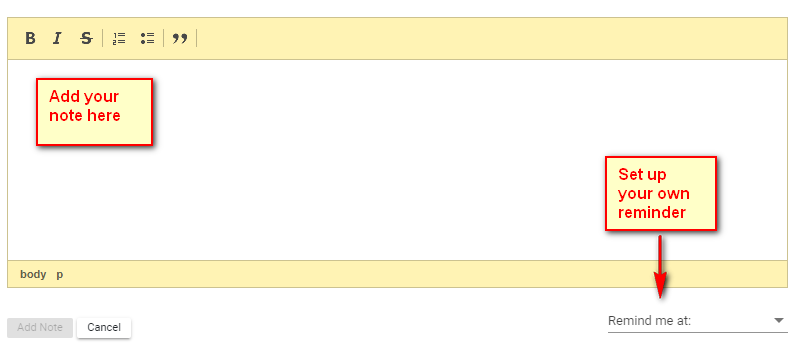
Once you click on the ''Add a Note'' button, a pop-up window will appear on your screen where you can type the internal note. You can even schedule a reminder so you will be notified if you have to take any action.
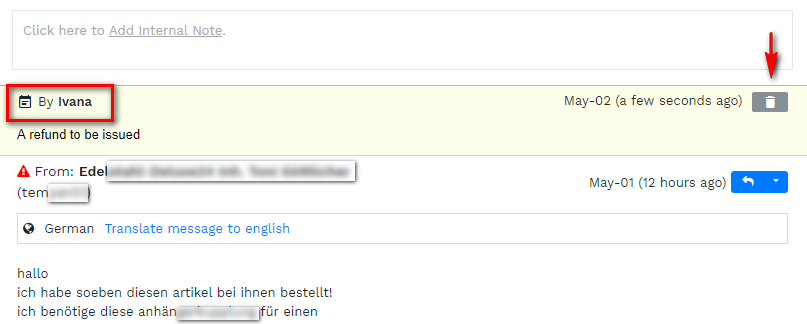
Once you have created the note, it will be showed in a different colour directly in the correspondence with the customer.
The system will even show the details of the agent who has created the note.
You can easily remove the reference by clicking on the trash icon on the right-hand corner of the note.
Comments
0 comments
Please sign in to leave a comment.