

You can easily set up your own Macros in Urban Seller.
In order to do that, click on the ''Settings'' section and then select ''Snippets'' -> Create New Snippet
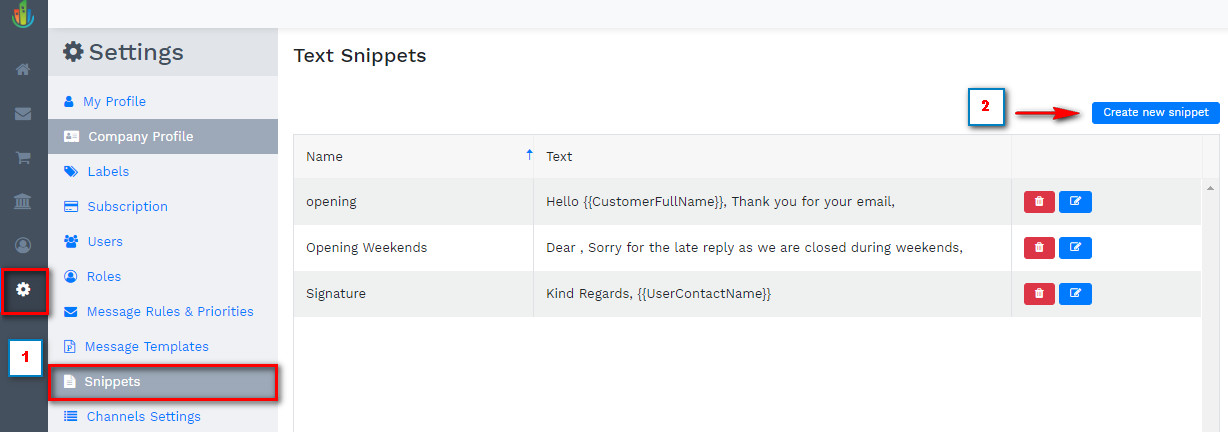
A pop-up window will appear where you have to fill in the information of your Snippet.
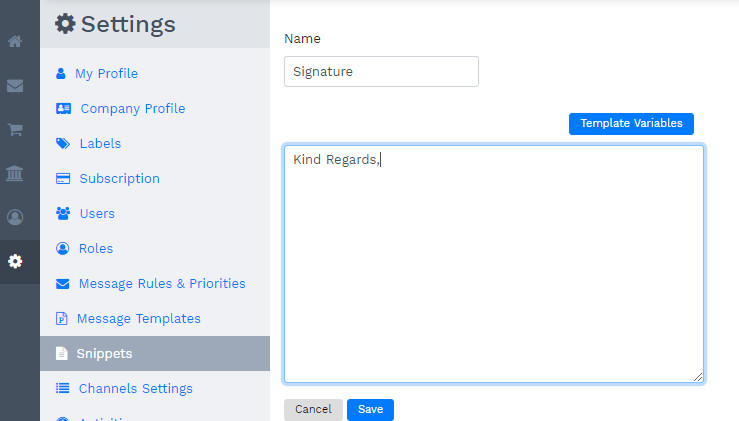
In order to make your Snippets more personal to your Customers, click on the "Template Variables" button on the right hand-side of the screen.

From the options of the drop down menu, you can modify your Snippet as shown below.
(as per the example: every time when the Snippet is activated, the system will automatically show the name of the User typing the email)
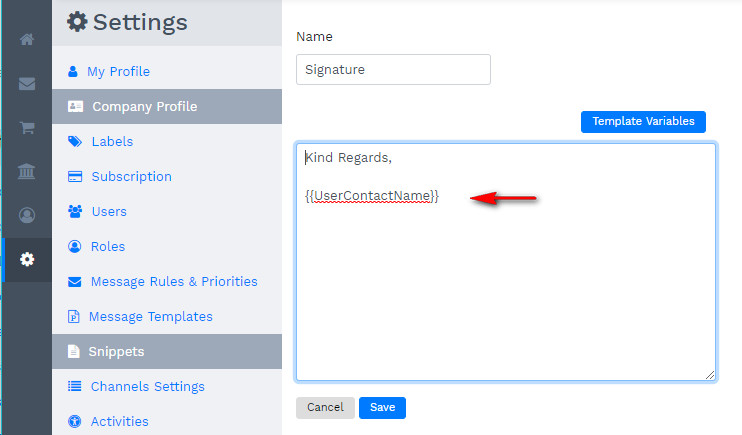
After the Snippet being Saved, you are already able to use it while writing an email.
Activate a Snippet in an email by pressing @ and the Snippet window will open so you can select the one needed.

Comments
0 comments
Please sign in to leave a comment.